
How It Works
One script. Ten tools. Decisions at the edge.
One Script, Ten Tools
You add one lightweight script to your website. That single script powers every GeoSwap product — redirects, links, content personalization, notification bars, popups, geo blocking, cookie consents, currency conversion, conditional scripts, and route management.
No separate plugins for each feature. No juggling multiple installations. Add the script once, then turn on whichever tools you need from your dashboard. Geo Links are the one exception: they're short links served straight from our edge, so they work even on sites without the script.


What Happens When Someone Visits Your Site
Here's the full sequence, start to finish. It all happens while the page loads, and most visitors never notice.

A visitor lands on your page
Someone types your URL, clicks a link, or finds you on Google. Your page starts loading normally, including the GeoSwap script in the <head>.

The script pings our edge network
The GeoSwap script sends a lightweight request to the nearest Cloudflare edge location. With 300+ locations worldwide, there's always one close to your visitor. The answer is cached in that browser tab for 5 minutes, so as the visitor clicks around your site, most pages don't need to ask again.

We detect the visitor's location
At the edge, Cloudflare determines the visitor's country, region, and city using network-level geolocation. No third-party API calls. No IP database lookups. This is the same technology used by the world's largest websites.

Your rules are checked
The edge worker checks the visitor against your rules: do they match any of your segments? If you have a redirect for visitors from Germany, a notification bar for visitors from France, and a content swap for visitors from Japan — all of those are evaluated in one pass. Bots are detected at this step too, and they always get your original page.

The matching action is applied
If the visitor matches a rule, GeoSwap applies the action — redirect them, show different content, display a bar or popup, convert prices, or run a script. If no rule matches, the visitor sees your original page with zero changes.
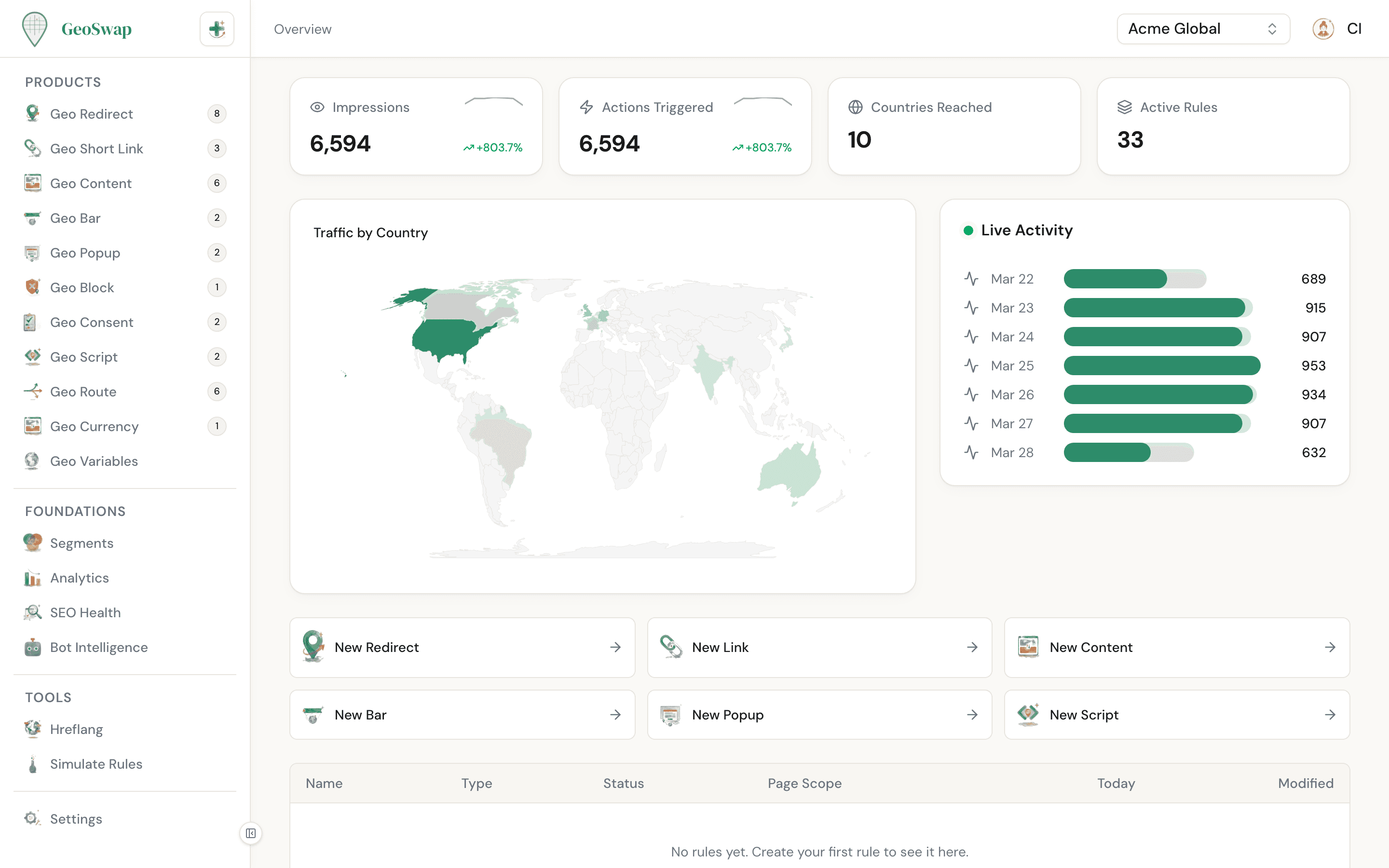
Your workspace overview shows all active rules, recent activity, and real-time analytics at a glance.
Why the Edge Matters
Most geo-targeting tools make decisions on a central server, or worse, rely on slow IP-lookup APIs. GeoSwap is different. Every decision happens at Cloudflare's edge — the same network that powers 25% of the internet.
300+
Edge locations
Worldwide. There's always one close to your visitor, regardless of where they are.
<50ms
Decision time
From request to action. Near-instant for any visitor, anywhere in the world.
Zero
Server load
GeoSwap doesn't touch your backend. Your server never knows we're there.
SEO Safety Built In
Geo-targeting can be dangerous for your search rankings if done wrong. Redirecting Googlebot away from your pages can tank your SEO overnight. GeoSwap is designed from the ground up to prevent this.

Search engine bots are never redirected
Googlebot, Bingbot, and other search engine crawlers always see your original page. GeoSwap detects 65+ bots and exempts them from all redirect and blocking rules automatically.

AI crawlers see your original page too
ChatGPT, Claude, Perplexity, and other AI crawlers are detected and served your original content. Your pages stay visible and citable across both traditional and AI search.

Hreflang tags auto-generated
When you create country-based redirect rules, GeoSwap generates the matching hreflang tags and shows them on the redirect's page. Copy them into your page's <head> to tell Google about your alternate pages and avoid duplicate content issues.

Why this matters
Many geo-targeting tools use client-side JavaScript that can inadvertently redirect search engine bots. Google treats this as cloaking — showing different content to bots vs. users — which can result in a manual penalty and removal from search results. GeoSwap's architecture prevents this entirely. Learn more in the SEO Safety guide.
Segments: The Foundation
Every rule in GeoSwap is built on segments. A segment defines who you're targeting: visitors from specific countries, regions, cities, or even custom IP ranges.
The powerful part: segments are reusable. Create an "EU Visitors" segment once, then use it across redirects, content rules, bars, popups, and everything else. Change the segment definition and every rule that uses it updates automatically.

Learn more about Segments
How to create segments, targeting options (country, region, city, radius, IP), and best practices for organizing your rules.
Everything in Real Time
When you create or change a rule in your dashboard, it reaches the edge within about a minute. No deploy, no cache to clear.

Change a redirect destination and new visitors get it within about a minute.
Update a content rule and new visits see the new version.
Pause a rule and it stops applying across all 300+ edge locations.
No deploys and no cache clearing on your side.
Your rules are synced to our edge network the moment you hit save. Edge locations keep a copy for up to 60 seconds, so every location has the change within about a minute. One thing to know when testing: a browser tab that already loaded your site keeps its answer for up to 5 minutes, so check changes in a new private window.
In Summary
What
Details
Setup
One script in your <head> tag. Takes 30 seconds.
Detection
Country, region, and city — determined at Cloudflare's edge, not a third-party API.
Speed
Decisions made at the nearest of 300+ edge locations, then cached in the visitor's tab for 5 minutes.
SEO
Search engine and AI bots are never redirected. Hreflang tags generated for you.
Real-time
Rule changes reach the edge within about a minute. No deploys or cache clearing.
Server load
Zero. Everything runs on our edge. Your backend is untouched.

Ready to try it?
Go from zero to live geo-targeting in 60 seconds.