
Analytics
Your geo-targeting performance dashboard
Your Geo-Targeting Dashboard
See exactly how your geo-targeting rules are performing. Every click, every view, every redirect — tracked and visualized in one place.
Understand where your visitors are, what device they use, and how they found you. Short-link clicks are tracked as soon as you create a link. Page views and on-page rules are tracked once the GeoSwap script is installed on your site.
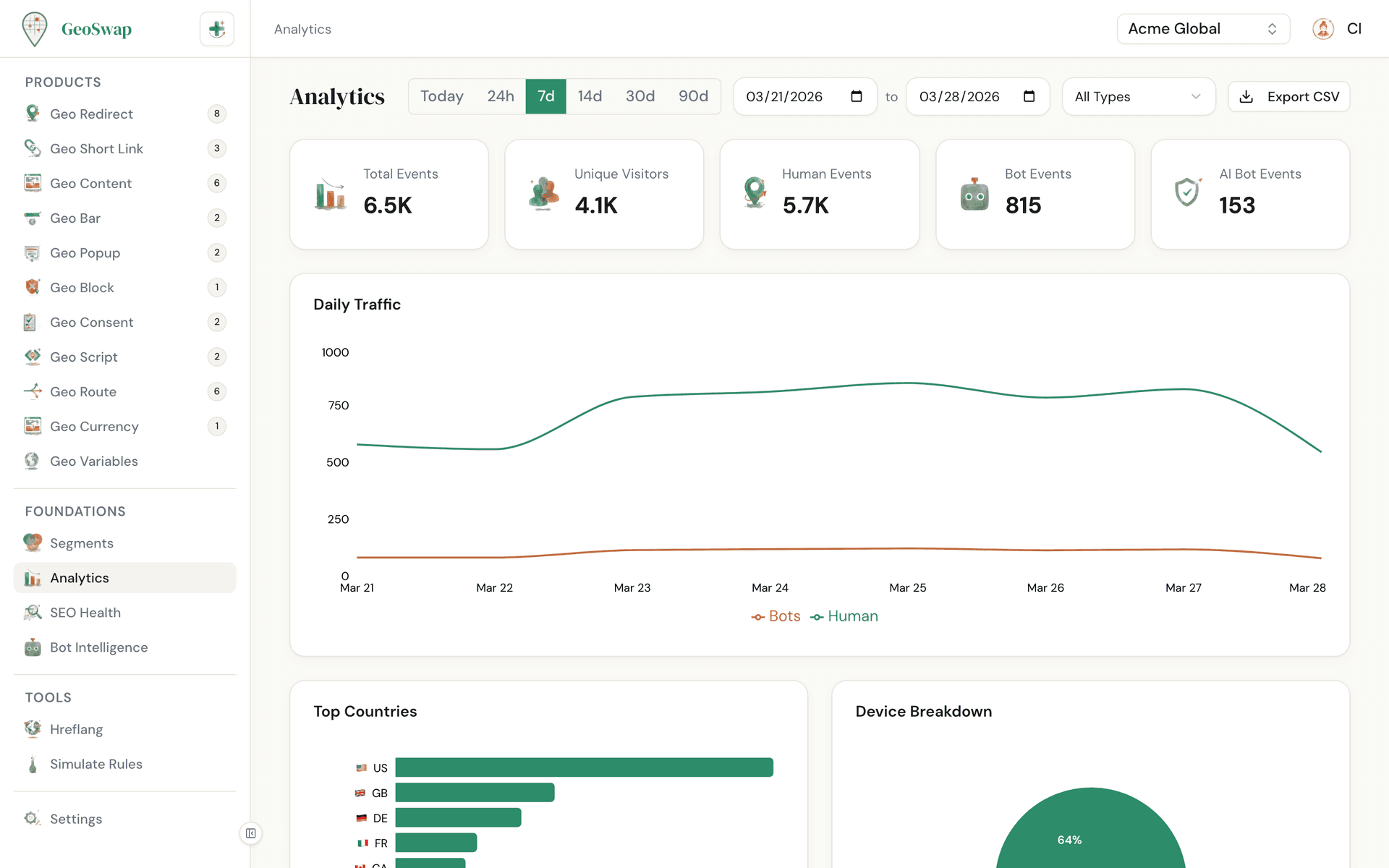
What's Tracked
Every time a geo rule fires — a redirect, a content swap, a bar display, a popup shown — GeoSwap logs the event with full context.
The page opens on Sessions (site + short link), the number your plan's usage is based on: visits to your site (however many pages, ending after 30 minutes idle) plus short-link visits, from people and bots. The same dropdown switches to Rule checks (page loads where the GeoSwap script checked your geo rules), short-link clicks only, all rule events, or a single product like Redirects or Bars. Next to the total you'll see unique visitors, human and bot numbers, and AI bot events.
Run GeoSwap on more than one site? Use the Site filter to see one site at a time. With Only listed sites on, traffic from domains that aren't on your list isn't recorded or billed; those domains only show up as suggestions to add on the Sites card.
Country breakdown
See which countries are generating the most traffic, ranked by volume.
Device breakdown
Desktop vs mobile vs tablet. Know how your audience is browsing so you can optimize accordingly.
Browser & OS
Chrome, Safari, Firefox, Edge, and more. Paired with operating system data so you spot compatibility trends.
Referrers
Where your traffic is coming from. See which sites, search engines, and social platforms are driving visitors.
UTM parameters
See your top UTM sources and campaigns here. For a full breakdown by source, medium, and campaign, with link clicks and page views side by side, open the Campaigns page in the sidebar. Its Site sessions view shows where every session came from: its UTM tags, or else the referring site, or (direct).
Visitors
People (not bots). For site traffic — Sites and Sessions views — Visitors is distinct people over your whole selected range, estimated from the GeoSwap script's first-party visitor ID (approximate, typically within 1-2%). For short links, Visitors counts distinct people who clicked each day, added up over your range — someone who clicks on three different days counts three times, because the privacy-safe visitor hash changes daily. It covers your plan's full history window. The number follows your filters. Available on Pro and Business — Free sees a rounded preview with an upgrade prompt.
Bounce rate and Avg time
A visit is engaged when the visitor views a second page or keeps a page open and visible for 10 seconds or more; bounce rate is the share of visits that weren't. Avg time is how long a page was visible (time in a background tab doesn't count, and one page view counts at most 30 minutes). Before October 4, 2026 only a second page view counted as engaged, and a visit's last page had no time, so earlier days show higher bounce rates. Available on Business.
Bot Intelligence
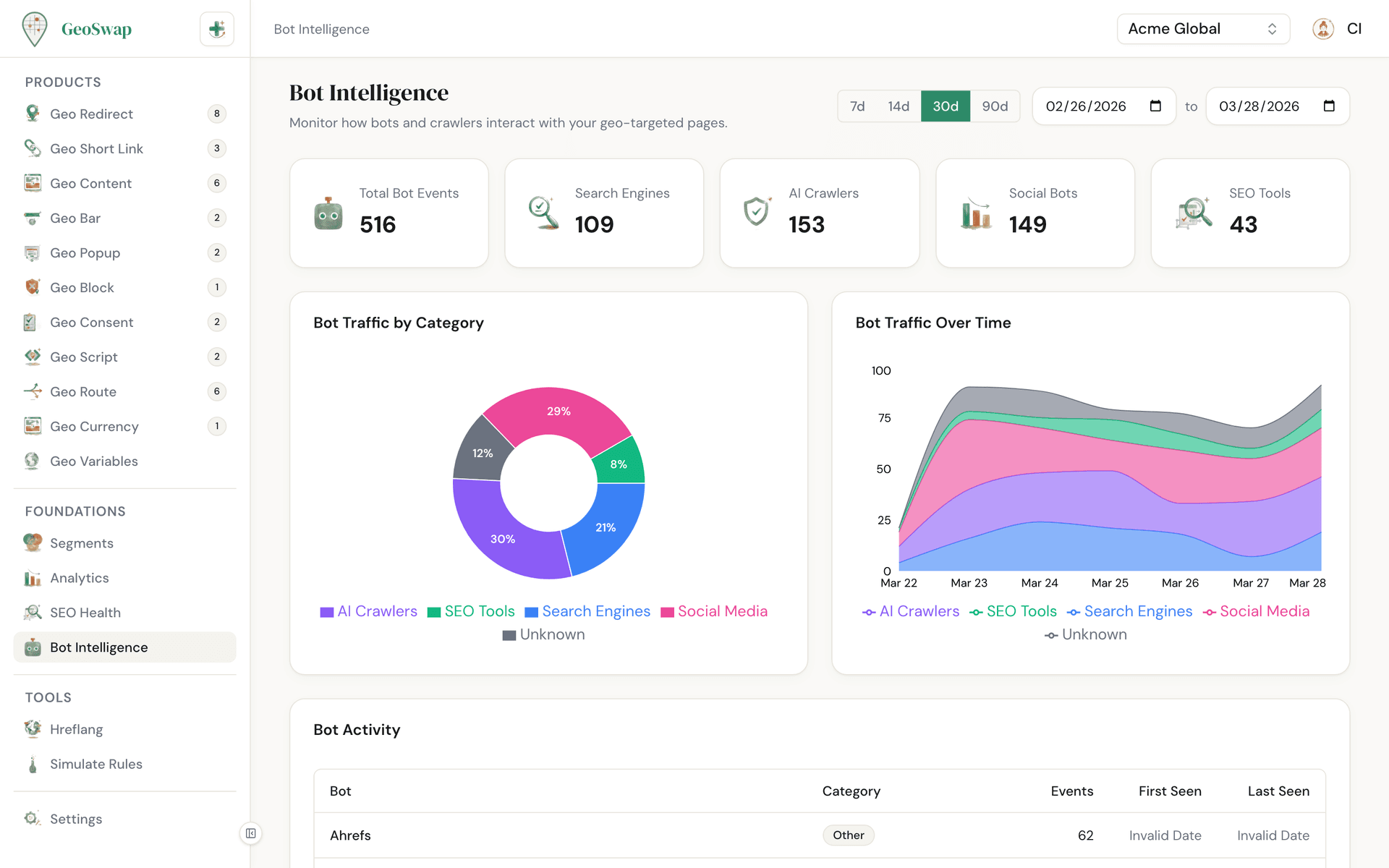
GeoSwap splits bot traffic from human traffic automatically. Every chart shows human and bot numbers separately, and the Bot Intelligence page in the sidebar gives you a dedicated view into what bots are doing on your site.

GeoSwap detects 65+ bots automatically — search engines, AI crawlers, monitoring tools, and more.
Bot sessions still count toward your usage, but you always see them as their own number next to human traffic.
AI bots are flagged separately: see if ChatGPT, Claude, or Perplexity are crawling your site.
Why this matters: know if AI is indexing your content correctly, and track how AI traffic grows over time.
Filtering & Exploration
Narrow your data down to what you need. Pick a date range, pick what to count, or look at a single rule.
Date range
Use the presets (Today, 24h, 7d, 14d, 30d, 90d) or pick custom dates. Ranges are in UTC days and are limited to your plan's history window.
Product type
Filter by redirects, short links, content rules, bars, popups, blocks, consents, or scripts.
Specific rule
Every rule has its own analytics card on its page, including the A/B split if you run one. Click through from there to see the full dashboard filtered to that rule.
Top countries, browsers & referrers
Ranked lists show you what's driving the most traffic at a glance.
CSV Export
Need your data in a spreadsheet? Click Export CSV on the Analytics page. Available to admin and owner roles.
The export has one row per rule per day, with total, human, and bot events and the desktop, mobile, and tablet split. It follows the date range and filter you have selected. Admins and owners can also export short links and analytics from Settings → Data Export.
Analytics by Plan
Every plan includes full session, country, device, browser, referrer and bot analytics, plus CSV export. Pro and Business add deeper reports — all pages, pages by country, visitors, and campaign funnels; Business adds time on page and bounce rate. And you can look back further on paid plans.
Feature
Free
Pro
Business
History
7 days
90 days
365 days
All dimensions
✓
✓
✓
Bot detection
✓
✓
✓
CSV export
✓
✓
✓
Top pages
Top 10
All
All
Pages by country
—
✓
✓
Visitors
—
✓
✓
Campaign funnels
—
✓
✓
Time on page & bounce
—
—
✓
Daily totals, countries, devices, referrers, browsers, OS, bots, UTM panels and short-link Visitors all cover your full history. Detailed visit records are kept for 90 days on every plan.

Need more history?
Upgrade to Pro for 90 days of history, or Business for 365 days. See pricing →

Next up
Learn how to manage your team and control who has access.