
Workspaces
Your project hub for everything geo-targeting
What Is a Workspace?
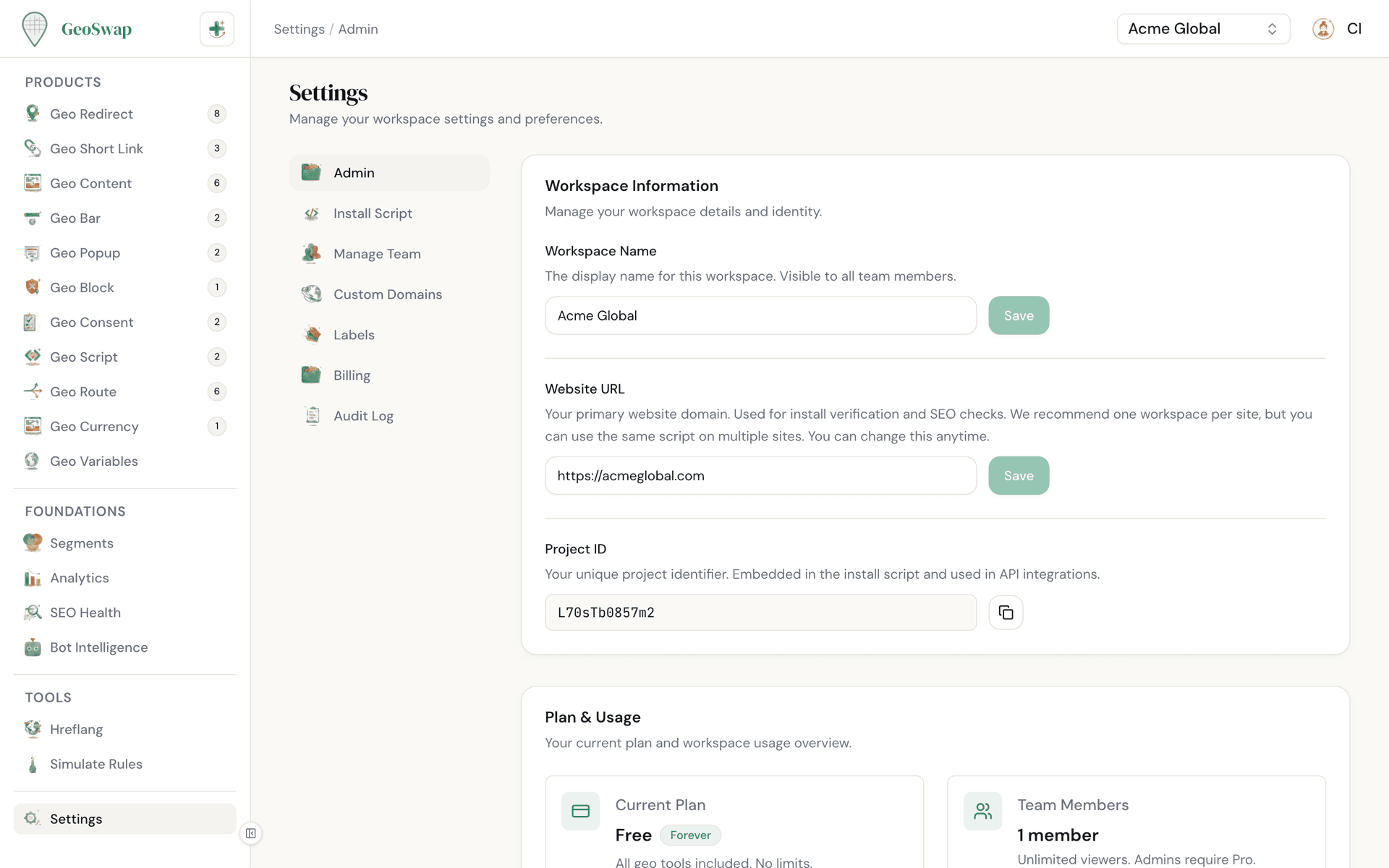
A workspace is your project hub. It holds all your geo-targeting rules, audience segments, analytics, team members, and settings in one place. Most people use one workspace per website, but a workspace can also cover several sites, like your store, your blog, and a regional domain.
When you sign up for GeoSwap, you create your first workspace. Your workspace gets a unique Project ID that connects your website to GeoSwap through a single script tag.
You list your sites under Settings → Admin. Add each domain exactly (shop.example.com), or use a wildcard like *.example.com to cover the root domain and every subdomain. By default your rules run on any site where the script is installed. Switch to Only listed sites and GeoSwap ignores the script on any other domain, so a copied script tag can't use up your sessions. The Sites card also shows domains where your script ran that aren't on your list, so you can add them in one click.
What's Inside a Workspace
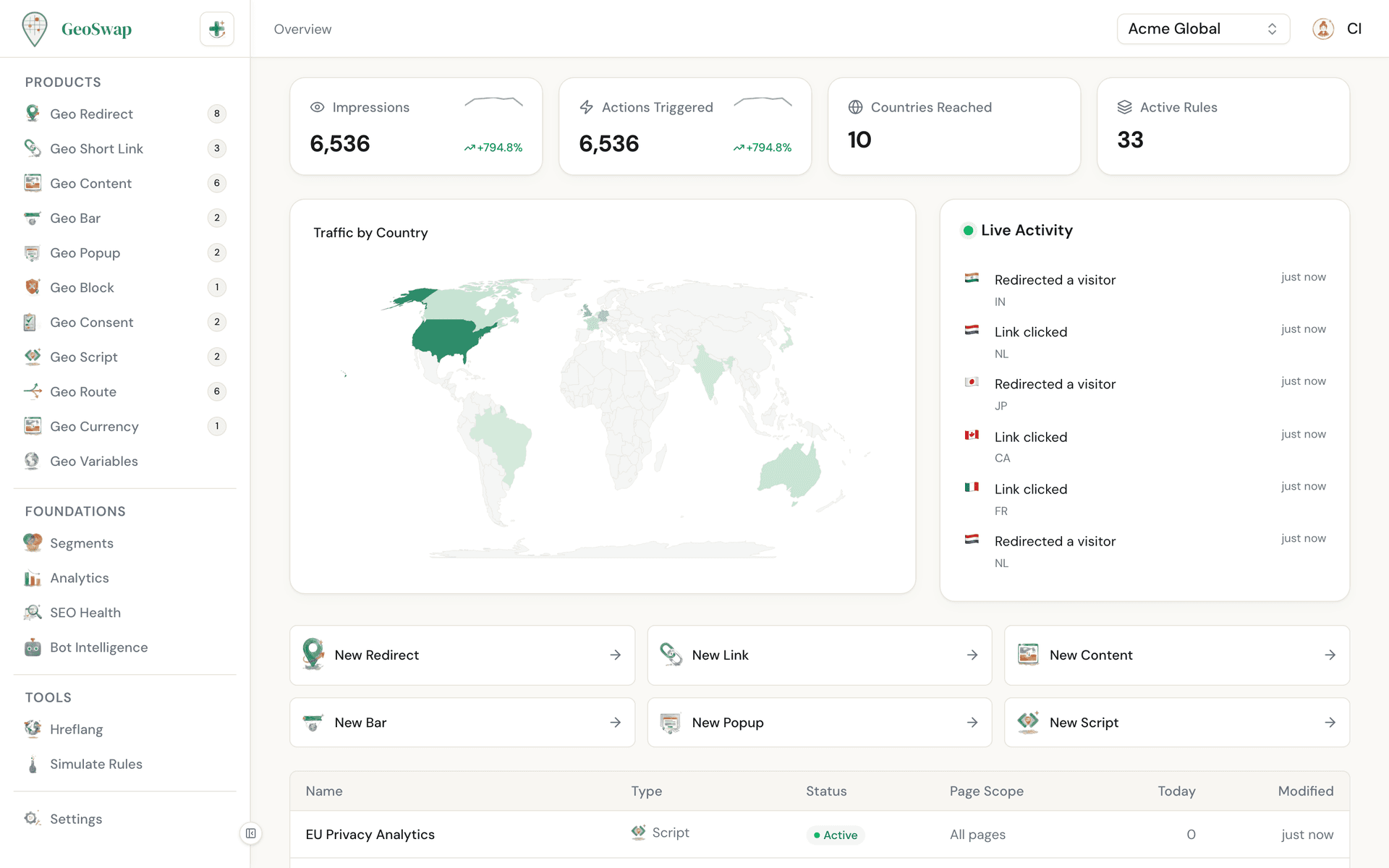
Every workspace comes fully loaded with all ten GeoSwap products and shared tools. Nothing to enable or unlock — it's all there from day one.

Geo Redirects
Route visitors to the right site by location

Geo Short Links
Smart short links with geo-targeting and A/B testing

Geo Content
Show different content based on where visitors are

Geo Bars
Location-aware notification bars

Geo Popups
Targeted popups by country or region

Geo Blocks
Restrict access by geography

Geo Consents
Show the right cookie banner per region

Geo Currencies
Display prices in local currency

Geo Scripts
Load scripts conditionally by location

Geo Routes
Manage redirects at scale with CSV import

Shared Segments
Create audience segments once, reuse them across every product.

Unified Analytics
See how all your geo-targeting rules perform in one dashboard.

Team Members & Roles
Invite your team and control who can do what.

Custom Domains
Use your own branded domain for geo short links.

Labels
Organize rules with color-coded labels.

Audit Log
See who changed what and when.
Team Roles
Every workspace member has a role that determines what they can do. Here's the breakdown:
Role
What They Can Do
Owner
Everything. Rename the workspace, delete it, and full control over all rules, settings, and billing.
Admin
Create, edit, and delete rules, and manage team members, sites, custom domains, and billing. Admins can also see the audit log and export data. Everything except renaming or deleting the workspace.
Editor
Create and edit rules, links, segments, and labels, and view analytics. Can't delete anything or manage members, sites, domains, API keys, or billing. Available on the Business plan.
Viewer
View rules, analytics, and settings. Read-only access — perfect for stakeholders who need visibility without the ability to change things.

Roles by plan
Free: Owner + unlimited viewers. Perfect for solo operators and small teams that need visibility.
Pro ($99/mo): Owner + unlimited admins + unlimited viewers. Built for teams that need multiple people creating and managing rules.
Business ($299/mo + usage): Everything in Pro plus unlimited editors, for marketing teams that ship campaigns at scale. Team roles →
Multiple Workspaces
Managing more than one website? Create a workspace for each. Every workspace is completely separate — different rules, different analytics, different team.
Complete isolation
Each workspace has its own rules, segments, analytics, and team members. Nothing bleeds between them.
Easy switching
Switch between workspaces from the workspace dropdown at the top of your dashboard.
Great for agencies
Managing client sites? Each client gets their own workspace with their own team. You stay organized, clients stay happy.
Separate billing
Each workspace has its own plan. Keep one on Free while you upgrade another to Pro or Business.
Settings Overview
Your workspace settings give you control over everything from your project name to who can access it. Here's what you'll find:

Admin
Workspace name, your list of sites, your Project ID, your plan, and the option to delete the workspace. Only the owner can rename or delete it, and a paid workspace has to move to Free first. Learn more →

Install Script
Your script snippet, verification status, and platform-specific guides. Learn more →
Manage Team
Invite members, manage roles, and remove access. Learn more →
Custom Domains
Add your own branded domain for geo short links. Learn more →
Labels
Create color-coded labels to organize your rules.

Billing
View your current plan, upgrade to Pro or Business, or manage your subscription. Learn more →
Audit Log
A chronological record of every change made in the workspace — who did what, and when. Owners and admins only.
Data Export
Download your short links and your analytics as CSV files, any time. Owners and admins only.

Next up
Learn how GeoSwap keeps your SEO safe while geo-targeting.