
Geo Scripts
Run custom JavaScript for visitors in specific locations
What Are Geo Scripts?
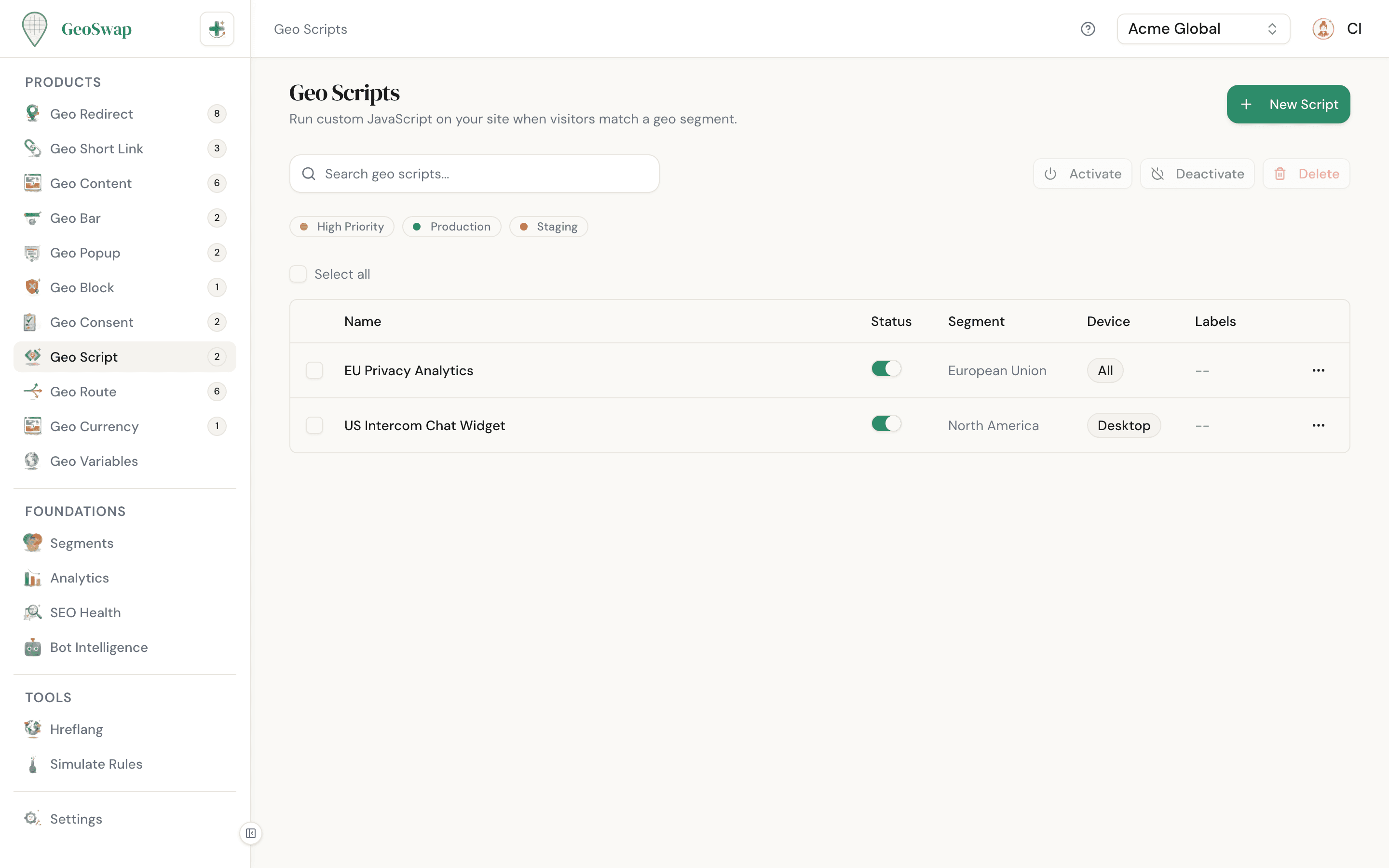
Geo Scripts let you run your own custom JavaScript only for visitors in specific locations. It's the most flexible tool in GeoSwap — for when the other products aren't quite enough and you need full control over what happens on the page.
No variants, no traffic splitting. Just "run this code for visitors in this segment." Simple, powerful, and completely under your control.
Use Cases
Privacy-compliant analytics
Load a different analytics snippet for EU visitors. Use a GDPR-compliant analytics tool in Europe while keeping Google Analytics everywhere else.
Region-specific chat widgets
Show a live chat widget only in countries where you have support staff available. No point showing chat at 3am in a timezone where nobody's answering.
Location-aware tracking pixels
Add region-specific tracking pixels for ad platforms that only operate in certain markets. No wasted data, no privacy concerns.
Dynamic form fields
Modify form fields based on location — different phone number formats, postal code patterns, or address structures for different countries.
Market-specific layouts
Rearrange page elements, show different CTAs, or adjust the experience for specific markets without building separate pages.
Regional feature flags
Enable or disable features for specific regions. Roll out a new checkout flow in Canada before launching it globally.
How to Create a Geo Script

Go to Geo Scripts
Open your workspace dashboard and navigate to Geo Scripts in the sidebar.

Click "New Script" and choose pages
Give the script a name, then use Page Targeting to pick where it runs: all pages, specific URLs, or pages matching a pattern. You can also exclude pages.

Pick a segment
Choose which visitors should run this script. Select an existing segment (e.g., "EU Countries", "Asia Pacific") or create a new one.

Write or paste your JavaScript
Enter your JavaScript code in the editor. Script tags are stripped automatically, so just write the code itself. You can use up to 50,000 characters.

Choose device targeting (optional)
By default, your script runs on all devices. You can restrict it to desktop only, mobile only, or tablet only if needed.
Important Notes

When your code runs
Your code runs through the geoswap.js script as soon as GeoSwap knows the visitor's location. On the first page view that means a quick call to the edge, so the page may already be loaded. Later pages in the same session use a cached answer and run sooner. Write your code so it works either way (see the DOM tip in Best Practices). Each script runs once per full page load, even when a single-page app changes routes, and scripts never run for bots.

Script tags are stripped
Don't wrap your code in <script> tags — GeoSwap strips them automatically. Just write the JavaScript code directly.
One segment per script
Each Geo Script targets exactly one segment. If you need the same code to run for multiple segments, create a separate script for each one, or build one segment that covers all the places you need. If several scripts match the same visitor and page, they all run.
Visitor data is built in
Your code gets a geoswap object with the visitor's location, like geoswap.country_code, geoswap.country_name, geoswap.region_code, geoswap.city_name, and geoswap.currency_code. If your code throws an error, GeoSwap catches it and logs a warning to the console, so it won't break the rest of the page.
Example Scripts
Here are a few practical examples to get you started:
Load a region-specific chat widget
Show Intercom only in countries where your support team is available:
Chat widget — target: regions with supportjavascript
// Load Intercom for supported regions
(function() {
  var w = window;
  var ic = w.Intercom;
  if (typeof ic === "function") return;
  var i = function() { i.c(arguments); };
  i.q = []; i.c = function(args) { i.q.push(args); };
  w.Intercom = i;

  var s = document.createElement("script");
  s.type = "text/javascript";
  s.async = true;
  s.src = "https://widget.intercom.io/widget/YOUR_APP_ID";
  document.head.appendChild(s);

  w.Intercom("boot", { app_id: "YOUR_APP_ID" });
})();
Add location-aware form validation
Change phone number placeholder and validation for UK visitors:
Form validation — target: UK segmentjavascript
// UK phone format for contact forms
function setUkPhone() {
  var phoneInput = document.querySelector('input[name="phone"]');
  if (phoneInput) {
    phoneInput.placeholder = "+44 7XXX XXXXXX";
    phoneInput.pattern = "\\+44\\s?7\\d{3}\\s?\\d{6}";
  }
}
// The page may already be loaded when this runs
if (document.readyState === "loading") {
  document.addEventListener("DOMContentLoaded", setUkPhone);
} else {
  setUkPhone();
}
Fire a tracking pixel for specific countries
Load a regional ad platform's pixel only where it's relevant:
Tracking pixel — target: LATAM segmentjavascript
// Load regional tracking pixel
var img = new Image();
img.src = "https://tracking.example.com/pixel?event=pageview®ion=latam";
img.style.display = "none";
document.body.appendChild(img);
console.log("[GeoSwap] Tracking pixel loaded for " + geoswap.country_name);Testing Your Scripts
You don't need a VPN to test Geo Scripts. Two simple ways to check your script runs for the right audience:
Target yourself first
Create a segment that matches your own IP address and point the script at it. Load the page and confirm it runs. Then switch the script to the real segment.
Console logging
Add console.log() statements to your script during testing. Open your browser's developer tools (F12) and check the Console tab to verify your script executed.
Best Practices

Keep scripts lightweight. They run on every page load for matching visitors, so heavy scripts will slow down your site for those users.
Test in a staging environment first. A broken script can affect the experience for an entire region of visitors.
Use console.log() during development to verify your script executes, then remove the logging before going live.
One script per purpose. It's easier to manage and debug five small scripts than one massive one.
If you touch the DOM, check document.readyState first. Your code may run before or after DOMContentLoaded, so a listener alone can miss the event.
Give each script a clear name and use labels to group related scripts. Future-you will thank present-you.

Next up
Learn how segments power all geo-targeting across GeoSwap.