
Geo Bars
Location-targeted notification bars for your website
What Are Geo Bars?
Geo Bars are notification bars that appear at the top or bottom of your page based on where your visitor is located. They are the simplest way to deliver location-specific messages without changing your page content or redirecting anyone.
Think of them as smart banners. A visitor from the UK sees "Free shipping to the UK on orders over £50!" while a visitor from Australia sees "Now shipping to AU — visit our Australian store." Everyone else sees nothing, unless you add a catch-all rule for an all-countries segment.
Common Use Cases
Shipping notices
"Free shipping to the UK! Orders over £50 qualify." — shown to UK visitors only.
Store availability announcements
"Now available in Australia! Visit our AU store →" — shown to Australian visitors with a CTA button linking to your AU storefront.
Compliance and cookie notices
"We've updated our privacy policy." — shown to EU visitors. For a real cookie banner with accept/decline and consent categories, use Geo Consent instead.
Regional promotions
"Holiday sale: 20% off for Canadian customers!" — shown to visitors from Canada during a seasonal campaign.
Local event announcements
"Meet us at Web Summit in Lisbon! Booth #42" — shown to visitors from Portugal during the event.
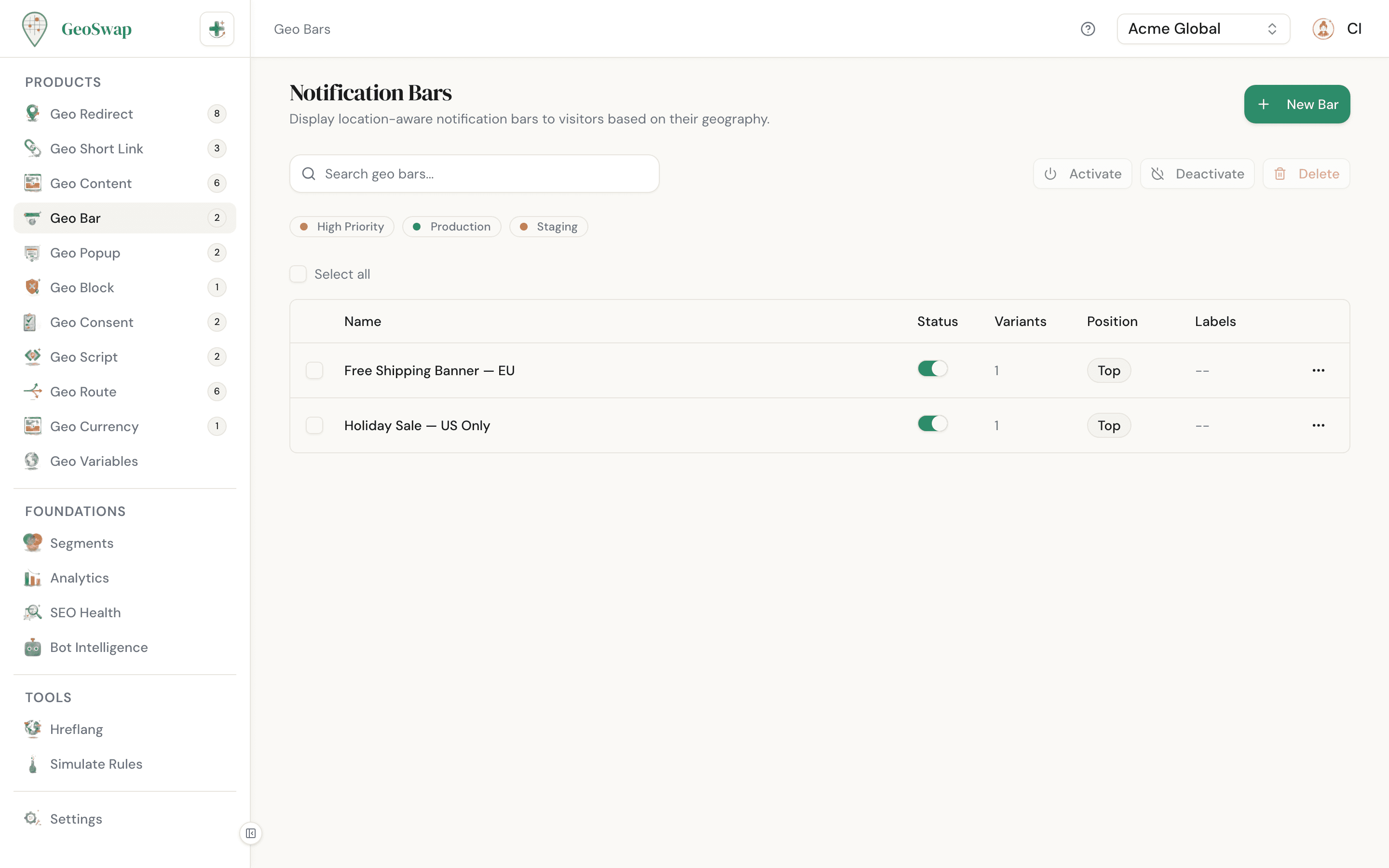
How to Create a Geo Bar

Open Geo Bars in your dashboard
Navigate to Geo Bar in the sidebar and click New Bar.

Name it and set page targeting
Give your bar a descriptive name (e.g., "UK Shipping Banner"). Then choose where it should appear: all pages, specific URLs, or a URL pattern. Patterns are regular expressions, checked against both the full address and the path, so ^/shop(/.*)?$ matches your shop section. See page targeting.

Configure appearance
Choose position (top or bottom), style (fixed or floating), size, text alignment, and colors. Top bars also get a display mode (overlay or push).

Add a rule
Pick a segment (e.g., "United Kingdom"), write the bar content, and optionally make the whole bar a link or add a CTA button. You can add multiple rules for different regions.

Set dismissal behavior and save
Each rule has its own dismiss behavior: how long the bar stays hidden after a visitor closes it, or whether it can be closed at all. Click Create Bar and your bar is live.
Appearance Options
Geo Bars are designed to be flexible enough to match your brand. Here are the options you can configure:
Setting
Description
Position
Top or bottom of the page. Top bars are more visible; bottom bars are less intrusive.
Style
Fixed sits flush against the edge of the page. Floating hovers with a small margin and rounded corners.
Display mode
Top bars only. Overlay floats above your content (doesn't shift the layout). Push moves the page content down to make room for the bar. Bottom bars always overlay.
Size
Small, medium, or large. Controls the bar's padding and text size. Small works well for short messages; large is better for detailed promotions.
Bar color
The background color of the bar (default #2D8C6A). Use your brand color, or choose a high-contrast color to grab attention.
Text color
The color of the message text (default white). Make sure it has enough contrast against your bar color for readability.
Text alignment
Left, center, or right. Center works best for short messages; left is better for longer content.
Variants
Each Geo Bar can have multiple variants. A variant ties a specific message to a specific segment (a group of countries or regions). When a visitor arrives, GeoSwap checks their location against your rules from top to bottom and shows the first match.
The bar content is HTML, and you can drop in content variables like {{country_name}} or {{flag}}, which are filled in with the visitor's details. Each rule can also set a Bar Link, which makes the whole bar clickable.
Example: Multi-region shipping bar
United KingdomFree shipping to the UK on orders over £50!
European UnionWe ship to the EU. Orders over €75 ship free.
Australia & NZNow shipping to AU & NZ! Flat rate $12.
If a visitor does not match any variant, the bar is not shown at all. This means your page stays clean for visitors outside your targeted regions. Separate bars are independent, so a page can show more than one at once (for example, one at the top and one at the bottom).
CTA Buttons
Each variant can include an optional call-to-action button. Tick Show a call-to-action button to use it. It works well for sending visitors to a regional store, a promotion page, or any other destination.
Button text
The label on the button (e.g., "Shop Now", "Visit AU Store"). It starts as "Learn More".
Button URL
Where the button links to. Must be a full URL including https://.
Button color
A custom background color for the button. Pick something that stands out against your bar color for maximum visibility.
Dismissal Behavior
You control what happens when a visitor closes the bar. Dismissals are remembered with a cookie, per bar. Choose the mode that fits the importance of your message:
Mode
Behavior
Session
The default. Once closed, the bar stays hidden until the visitor closes their browser. When they come back later, it shows again. Good for general announcements.
Duration
Once closed, the bar stays hidden for the number of minutes you set (up to 43,200, which is 30 days), then comes back. Good for recurring promos you want to remind people about.
Forever
Once closed, the bar stays hidden for 90 days (unless the visitor clears their cookies). Good for one-time announcements.
Never
The bar cannot be dismissed. There is no close button. Use this sparingly, for critical compliance notices or legal requirements.
Device Targeting
Each variant can be shown on all devices, or limited to specific device types: desktop, mobile, or tablet. This is useful when your message or CTA only makes sense on certain screen sizes.

Example
Show a "Download our app" bar only on mobile devices for visitors in the US, while desktop visitors see a standard promotional bar instead.
A/B Testing
Want to test which message gets more clicks? Geo Bars support traffic splitting between two versions of your bar. Tick Enable traffic split (A/B test) on a rule, write a second version of the bar content, and set the split with the slider (anywhere from 1% to 99%). Only the content changes; the button, link, and colors stay the same for both versions. The split is based on the visitor's IP address, so a returning visitor usually sees the same version.
Example: Testing CTA copy for UK visitors
50%Free UK shipping! Orders over £50.Shop Now
50%UK customers: free delivery on £50+ orders.Shop Now
Best Practices

Keep bar messages short and action-oriented. You have limited space, so lead with the benefit.
Use the "push" display mode on a top bar if the message is important and you don't want it covering your header.
Set dismissal to "session" for promotional bars. Visitors who dismiss once probably don't want to see it again during that visit.
Use "never" dismissal mode only for legal or compliance notices. Undismissable bars on every page will frustrate your visitors.
Match your bar colors to your brand, but make sure text is readable. High contrast between bar color and text color is essential.
A/B test your bar copy before committing to a single version. Small wording changes can make a big difference in click-through rates.

Next up
Learn about Geo Popups for more prominent location-based messages.