Intelligent analytics
Analytics you can trust, with the bots taken out.
See where visitors come from, what they read and where they drop off. Bots and AI crawlers are counted on their own page, so your visits, campaigns and funnels only count humans.
No credit card · Every feature on every plan

TL;DR
GeoSwap Analytics shows visits, pages, campaigns and funnels from a first-party script, with bots kept out of every count. Connect Search Console and GA4 to see Google's numbers next to yours.
Features
What Intelligent analytics does

Visits, pages and referrers
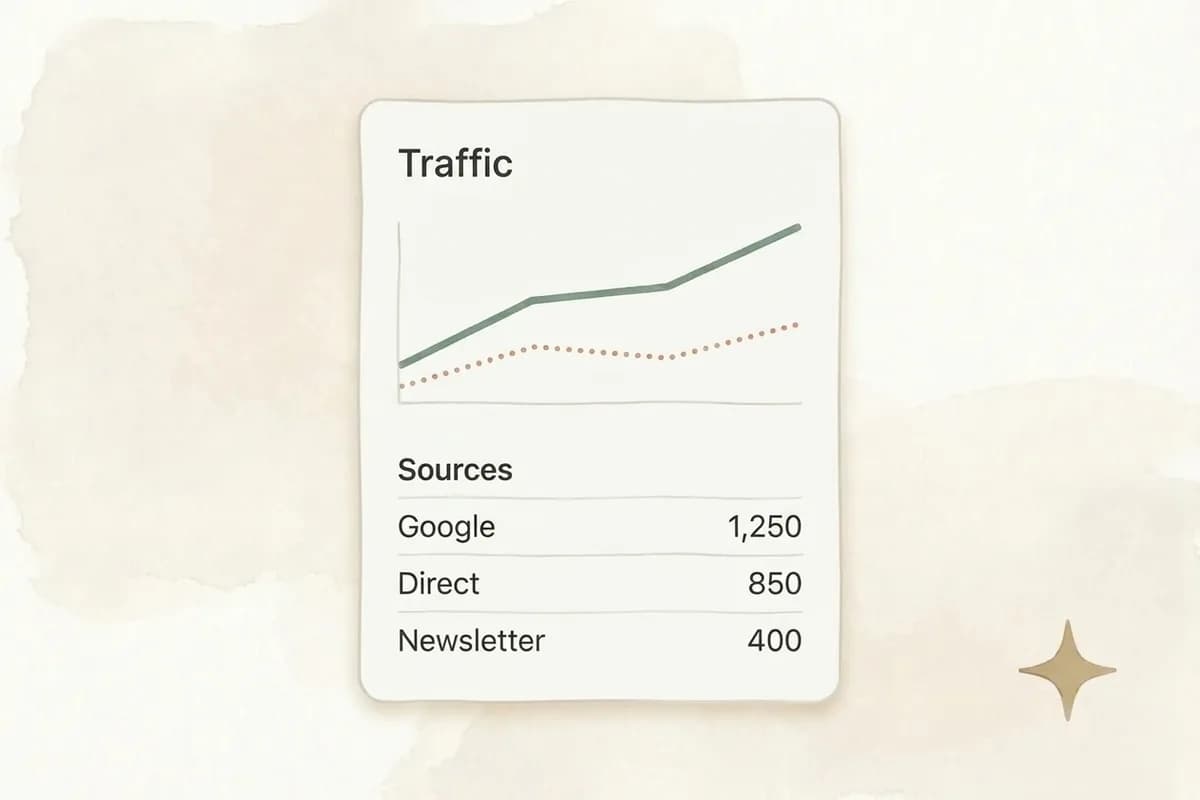
Visits, visitors, top pages, referrers, devices and browsers. A visit ends after 30 minutes idle. Short-link clicks sit beside it as their own number, never added in.

Engagement that means something
A visit counts as engaged when someone opens a second page or keeps a page visible for 10 seconds. Time in a background tab doesn't count toward average time.

Every campaign in one table
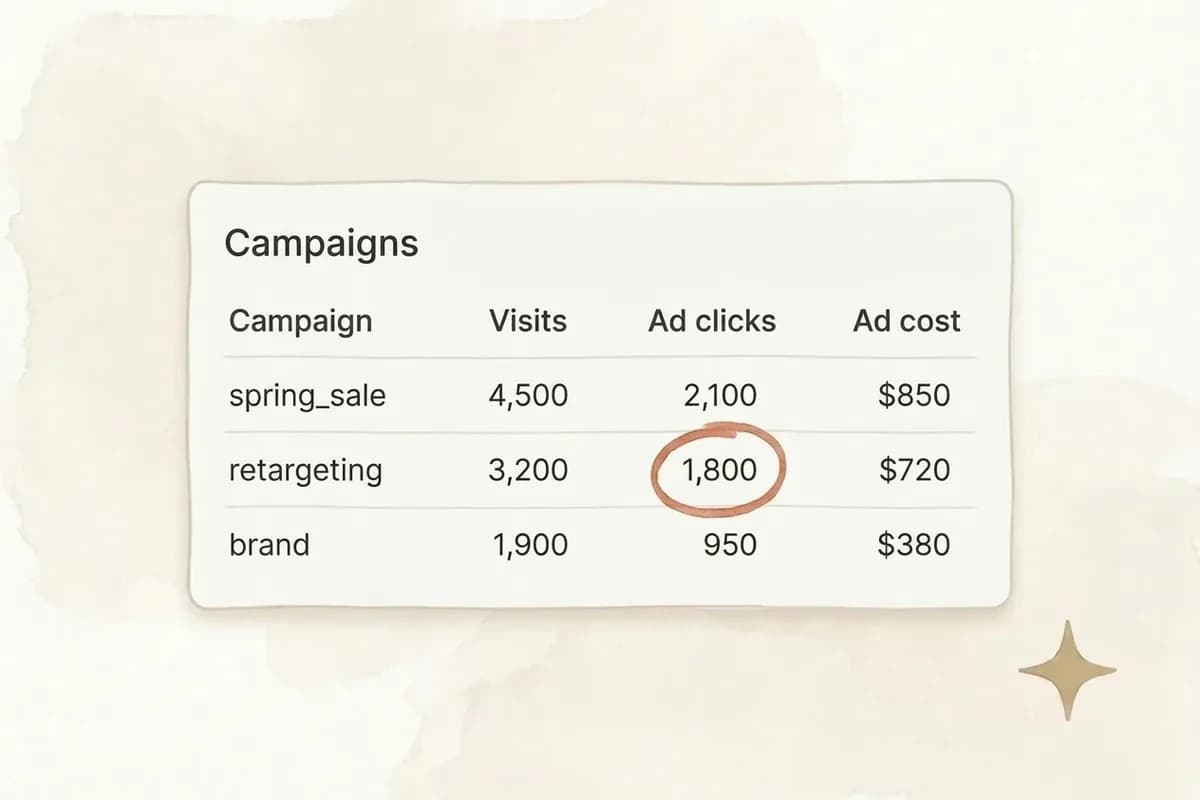
UTM traffic by source, medium and campaign, with link clicks and page views side by side. Connect Meta or Google Ads to add their impressions, clicks, CTR and CPC to each row.

Funnels from landing to checkout
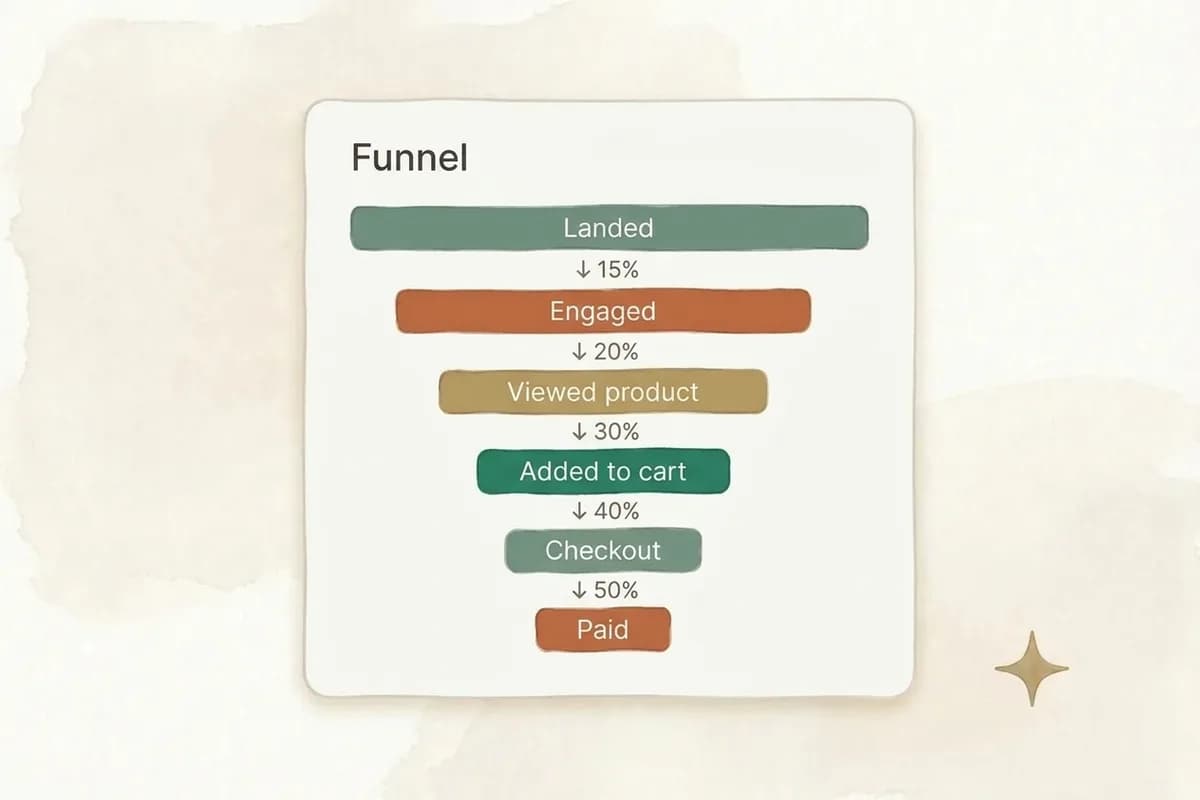
Landed, engaged, viewed a product, added to cart, started checkout, entered payment. Send the steps with one line of JavaScript or the Shopify pixel. Shopify and GA4 event names are recognized.

Bots kept out of every count
Search engines, AI crawlers, scrapers and scripts are flagged at the edge. They never land in your visits and are never billed. Turn on Show bots to see them as a separate line.

Search Console and GA4 alongside
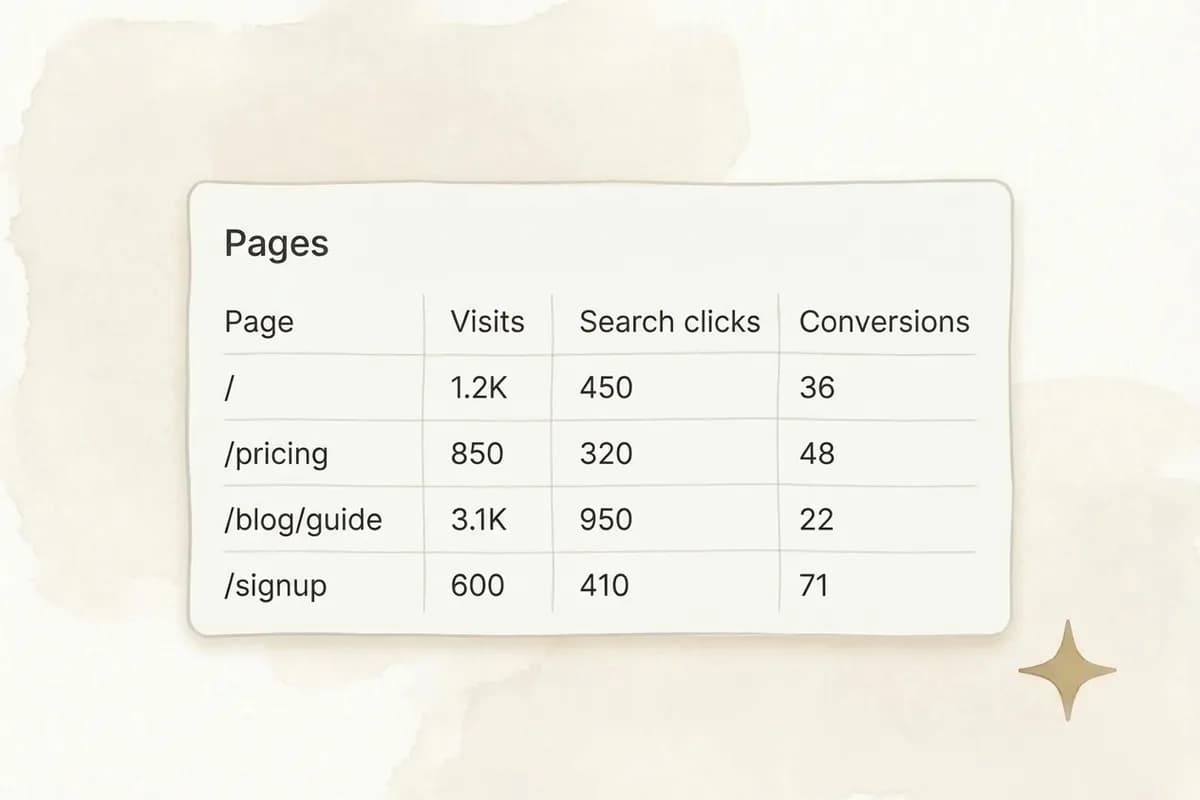
The Pages table shows each page's traffic, Google search clicks and organic conversions in one row. Connect GA4 to import up to 14 months of its history, kept on its own page.
Why this matters
What the research says
53%
of all web traffic in 2025 was automated (bots), up from 51% the year before
Source: Imperva Bad Bot Report, 2026
47%
of requests for web pages came from humans at the end of 2025; the rest were AI and other bots
Source: Cloudflare Radar 2025 Year in Review (Dec 2, 2025)
How it works
Set up Intelligent analytics

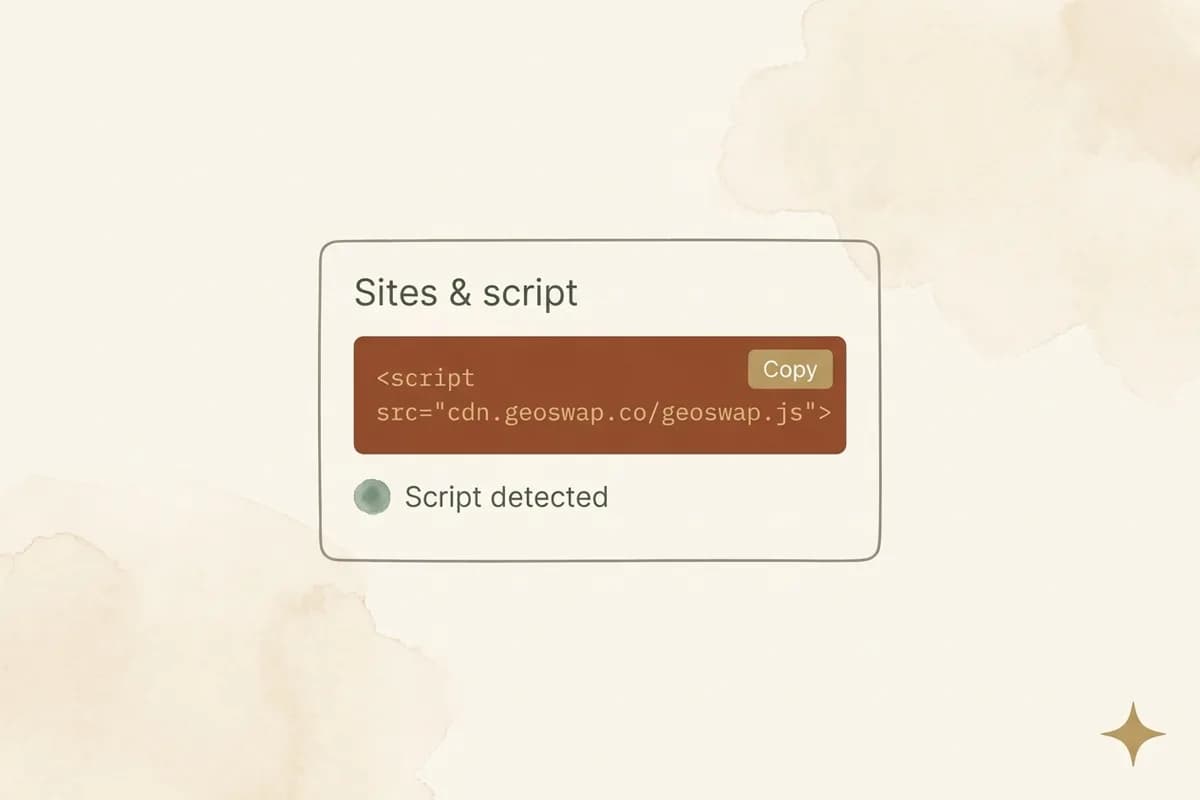
Add the GeoSwap script to your site's <head>, or install it through Google Tag Manager. Short-link clicks are counted from the moment you create a link.

Visits, pages and campaigns fill in as visitors arrive. Bots are flagged before anything is counted.

Connect Search Console and GA4 in Setup → Integrations to see Google's numbers next to yours.

Send cart and checkout events with geoswap.track() or the Shopify pixel, and the funnel fills in.
Step by step
From first visit to checkout, in five screens
Step 1
Add the script once
Paste one line into your site's <head> or add it through Google Tag Manager. Visits, pages and referrers start filling in with the next visitor. Bots are flagged at the edge before anything is counted.
Step 2
See your traffic
Visits, visitors, engaged visits and average time, day by day, with where they came from. Compare with the previous period in one click.
Step 3
Find the pages that work
Every page with its visits, engagement and exits, plus the Google search clicks and organic conversions it earned, in one row.
Step 4
Line up your campaigns
Every UTM campaign by source, medium and campaign. Connect Meta or Google Ads and their impressions, clicks and cost sit on the same row as the visits that arrived.
Step 5
Watch the funnel
Landed, engaged, viewed a product, added to cart, started checkout, paid. Send the steps with geoswap.track() or the Shopify pixel and see where people stop.
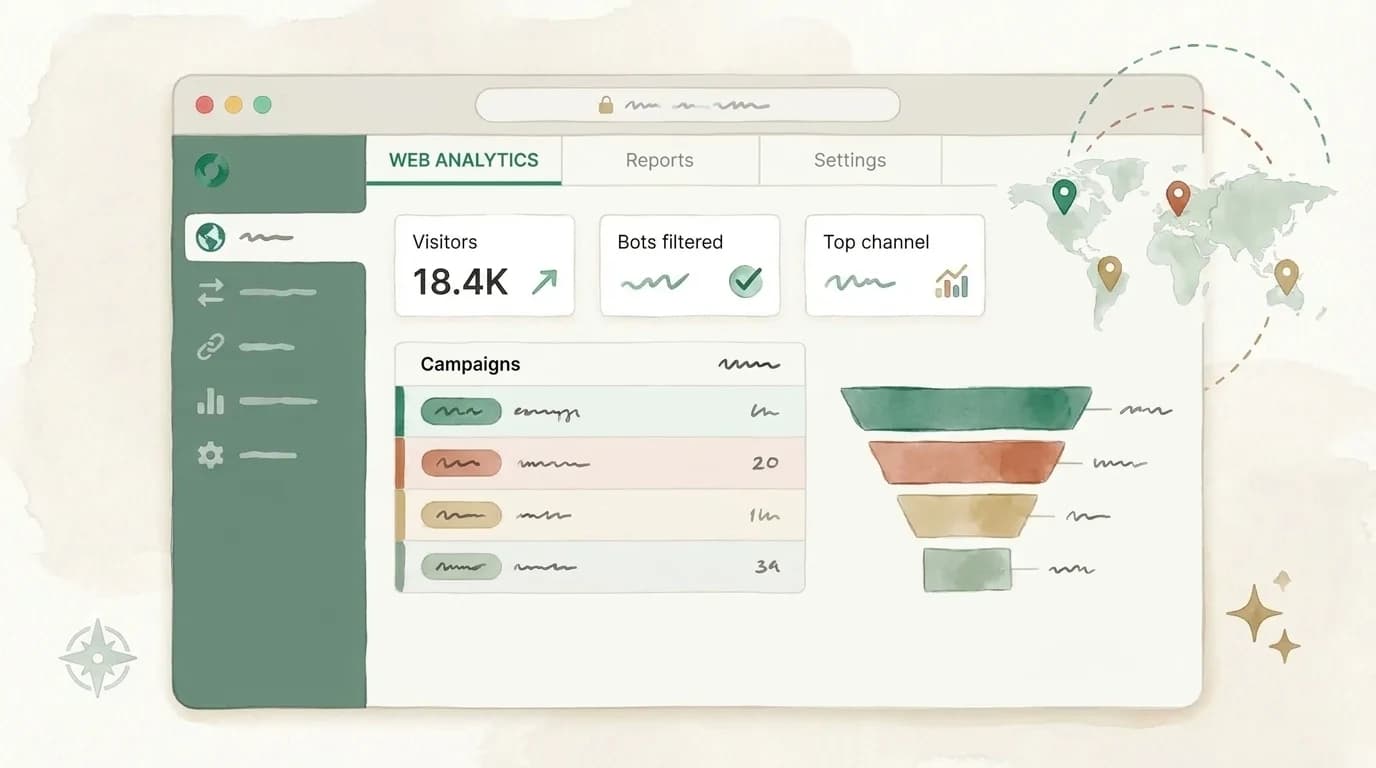
The Intelligent analytics dashboard
Before and after
What changes with Intelligent analytics
A scraper hits your pricing page
Without it
Thousands of extra page views from a cloud server inflate your traffic and wreck the bounce rate you report to the team.With Intelligent analytics
The scraper is flagged at the edge and counted on the Bots page. Your visits, pages and campaigns don't change.Ad clicks that never arrive
Without it
The ad platform says 1,200 clicks; your analytics shows a few hundred visits and nobody knows why.With Intelligent analytics
Ad clicks and arrived visits sit on the same campaign row, so the gap is visible and you can see which campaign loses visitors before the page loads.Where carts stall
Without it
You know your conversion rate, not the step where people give up.With Intelligent analytics
The funnel shows each step's drop-off, week by week, so you fix the step that loses the most people.Use cases
How teams use Intelligent analytics

Stores that need to see where carts stall
The funnel shows how many visitors view a product, add to cart, start checkout and pay. Find the step where most of them leave.

Marketers comparing campaigns
Every UTM campaign in one table, with ad platform clicks next to the visits that actually arrived. A gap between the two shows clicks lost before your page loaded.

Teams running several sites
Track every site from one workspace and filter to one at a time. Under a wildcard site like *.example.com, each subdomain gets its own row.
Install
Add it to your site
- Open your site's HTML (every page, or the shared layout).
- Paste the snippet just before </head>.
<script>window.geoswap=window.geoswap||{q:[],track:function(){this.q.push(arguments)}};</script>
<script src="https://cdn.geoswap.co/geoswap.js" data-project="YOUR_PROJECT_ID" defer></script>
Your project ID is filled in for you in the dashboard (Setup → Sites & script).
Frequently Asked Questions
Explore more
Free Tools

Ready to try Intelligent analytics?
Every feature on every plan. Plans differ by history, team and scale.